
Getting started

From the empty console to the first booking.

Six steps, in the order of the Hotel menu. There is no importer from other hotel systems, so rooms and rates are registered in the console, and this page says what to have at hand.

  • The hotelCheck-in and check-out times, and the prefix of the bookings.
  • RoomsRoom types with beds and capacity, and each room.
  • RatesPrices by period, restrictions and the policy.
  • Booking engineThe page and the button of your site.

1 and 2. The hotel, the room types and the rooms

The hotel module is turned on together with the team. Then you register the hotel and its rooms in the console.

  • Time zone, check-in and check-out times, and the prefix of the booking codes
  • Each room type with its beds, base capacity and maximum guests
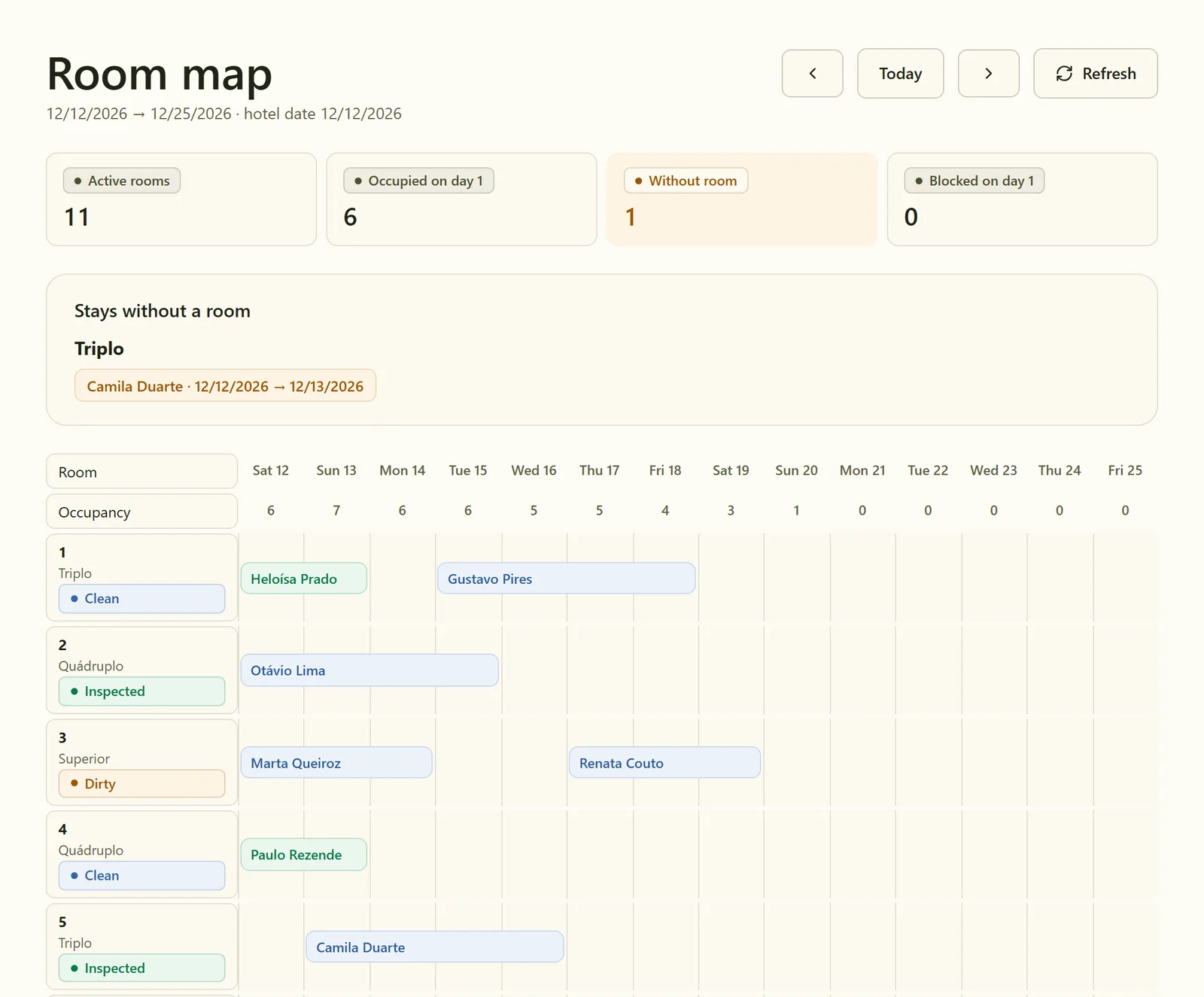
  • Each room, with its number and the type it belongs to
3. The rates

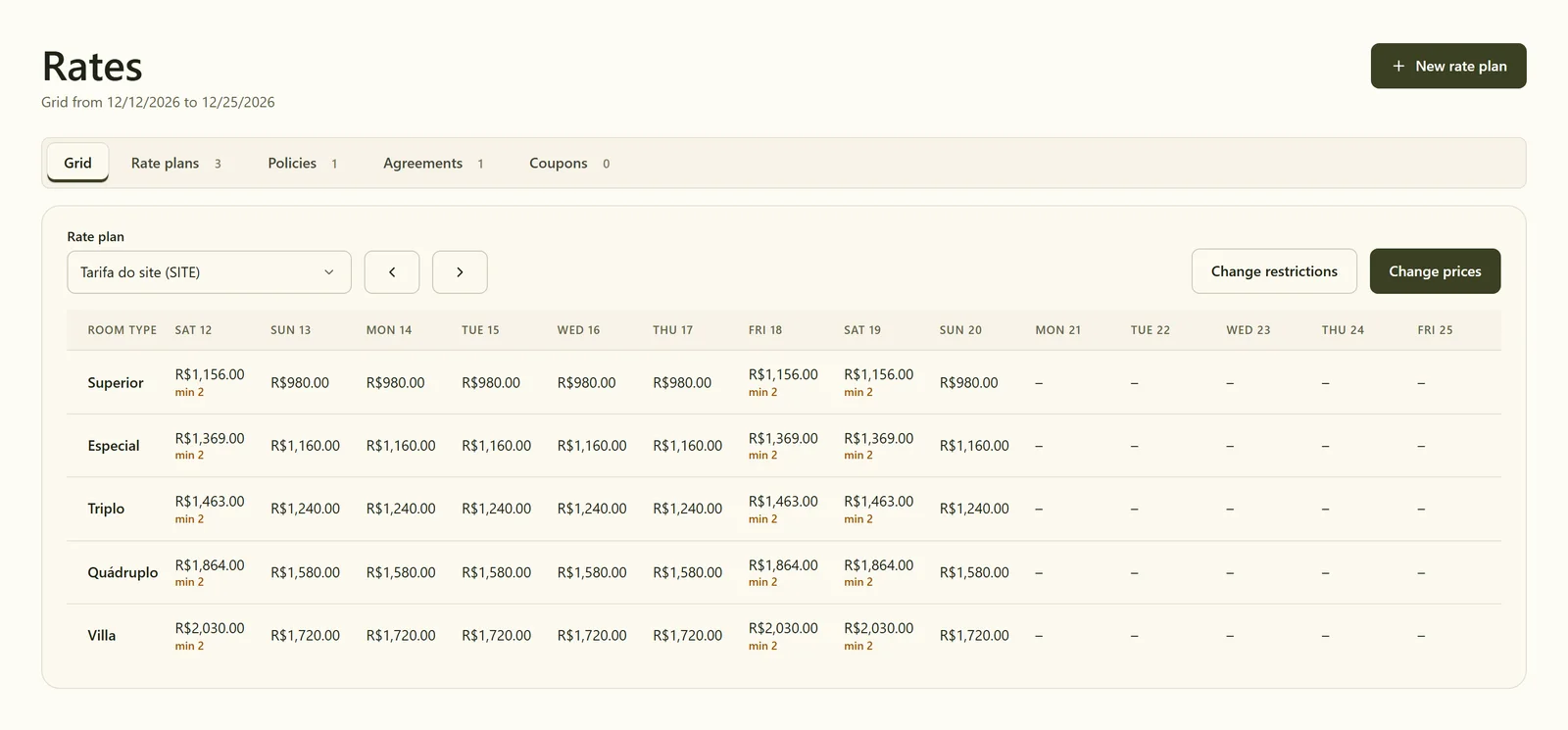
Make a rate table, set the price of each room type by date range, add the restrictions and write the cancellation policy once.

  • A price for each room type and each date range
  • A share of the daily rate for the extra adult and for children
  • Rates for agencies as derived rates of the public one
Rate grid of Verbum Hotels: the daily price of each room type, day by day, with the minimum stay on the busiest nights.Enlarge the screen

4. The booking engine

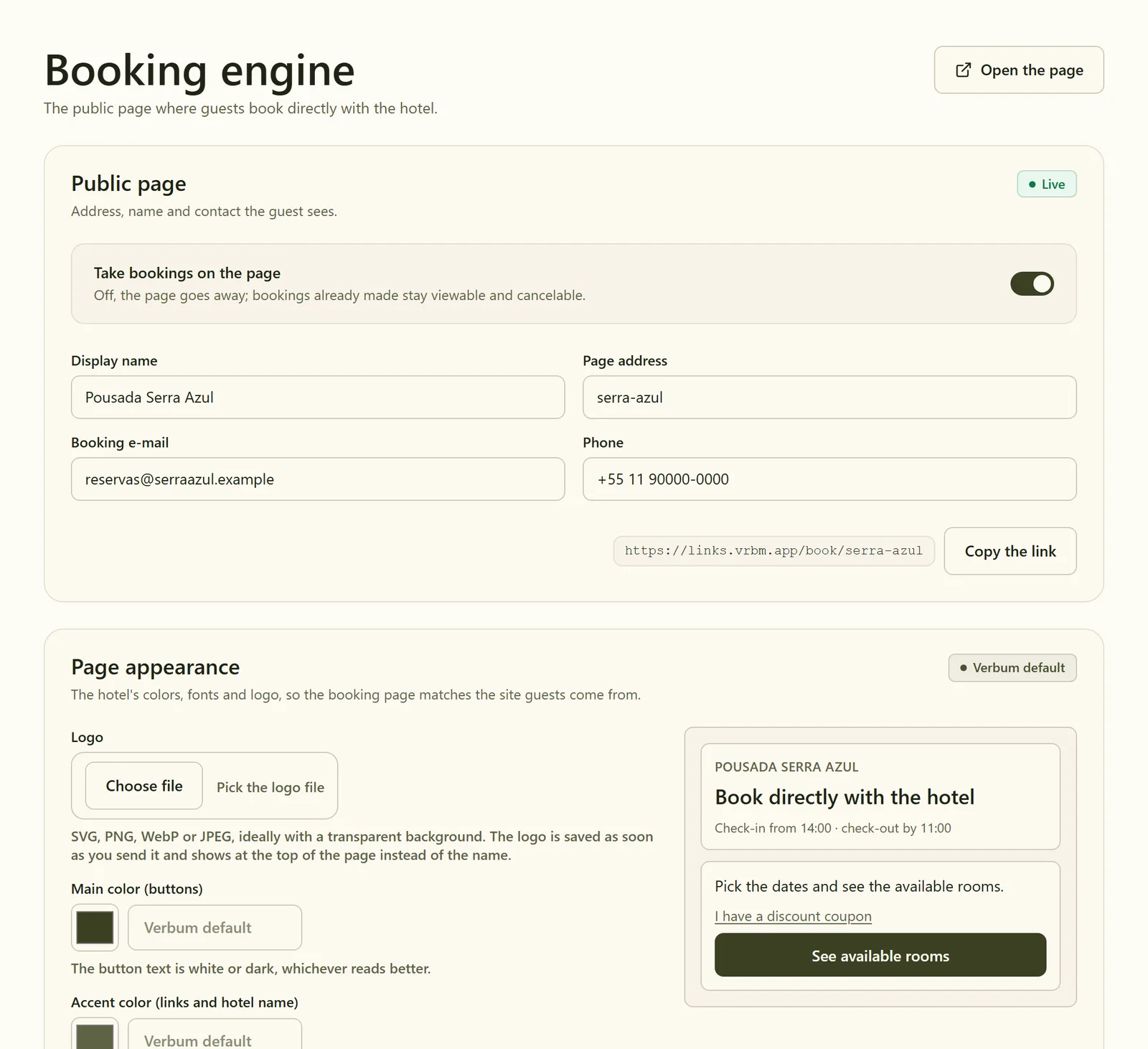
Choose the address of the page, the room types that go online, the notice and the terms, and put the button on your site.

  • Up to eight photos for each room type
  • Terms that the guest accepts before booking
  • The button of your site opens the page with the dates filled in
Booking engine settings of Verbum Hotels: public page, address of the page, contact and the room types that go online.Enlarge the screen

5. The roles of the team

Give each person the role of the job: front desk, cashier, housekeeping, maintenance, restaurant or manager.

  • Ready-made roles with the permissions of each job
  • The housekeeper opens My tasks and sees what is hers

6. A test booking before opening

Book a room on your own page, check the guest in, post a consumption, close the account and check out. Then the day closes with the night audit.

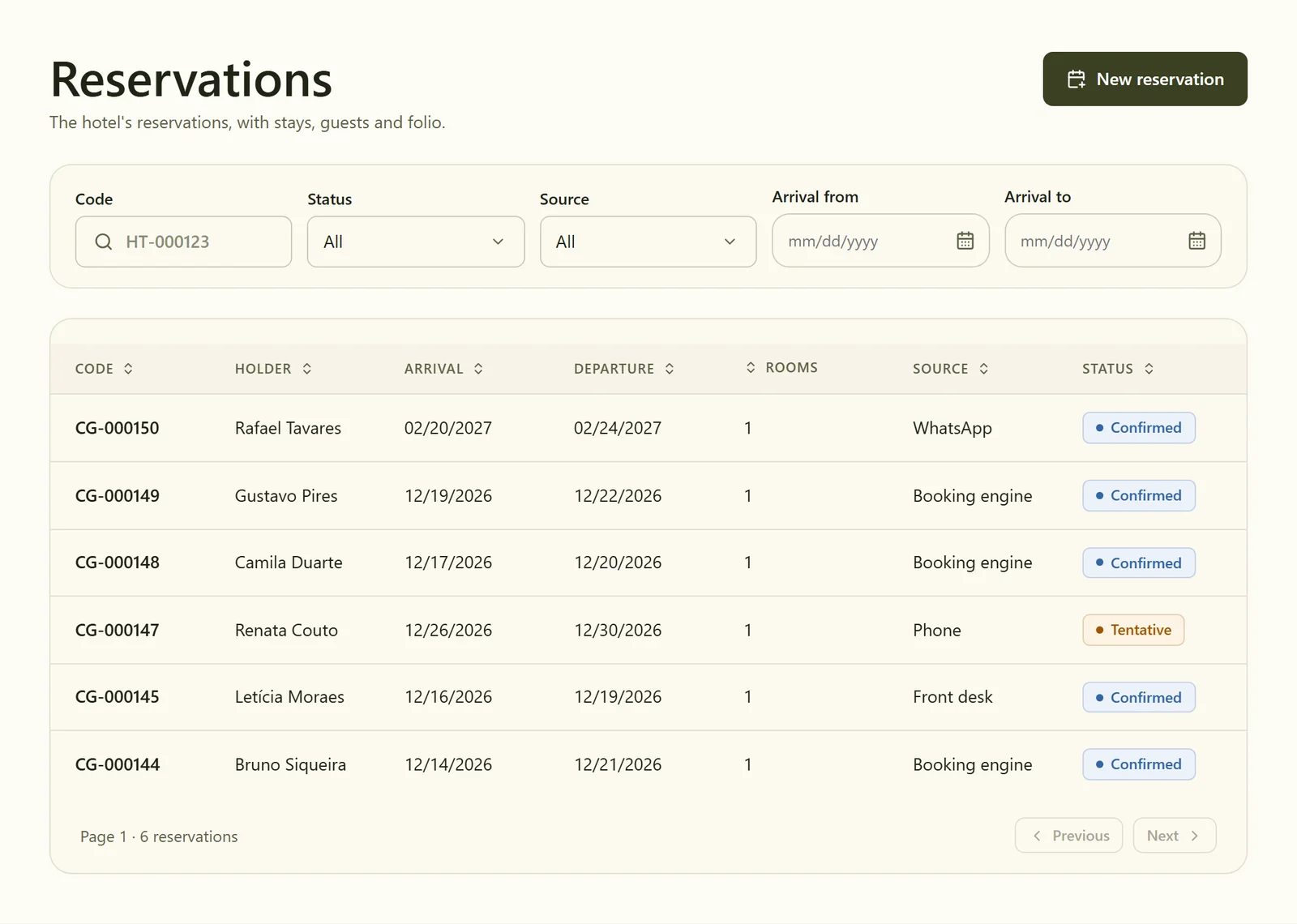
  • The booking appears in the list with the origin booking engine
  • The closed account creates the receivable in finance
Booking list of Verbum Hotels: code, holder, arrival, departure, rooms and origin, such as the booking engine and WhatsApp.Enlarge the screen

And more in this module

  • What to have at hand

    The list of rooms, the prices by season, the cancellation policy and the photos.

  • No importer

    There is no importer from other hotel systems today.

  • Talk to the team

    The team turns the module on and answers what fits your hotel.

Frequently asked questions

Can I import my rooms and bookings from another system?

There is no importer from other hotel systems today. Rooms, room types and rates are registered in the console.

How long does it take to open?

It depends on how many rooms and rates you have to register.

Do I need my own site to take bookings?

No. The booking engine has its own page with an address, and you can share that address. If you have a site, its button opens the page.

Other features

See Verbum Hotels with your hotel's routine.

Try the Starter plan for 5 days, or book a demo with the team.